


Piano Pop 2: Tiles Music Games
4.8162.00 Reviews
App Specs
- Version
- 2.3.0
- Updated On
- License
- Free
- Downloads
- 5,000,000+
- Developer
- Rhythm Hero: Good Music Games
- Categories
- Music
- Platform
- Android, iOS
Screenshots

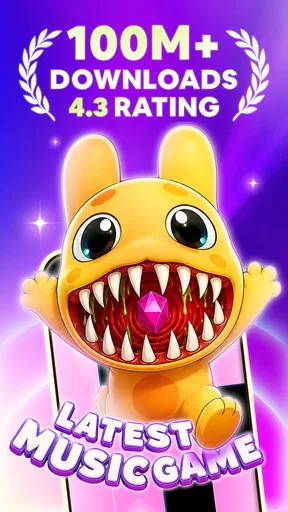

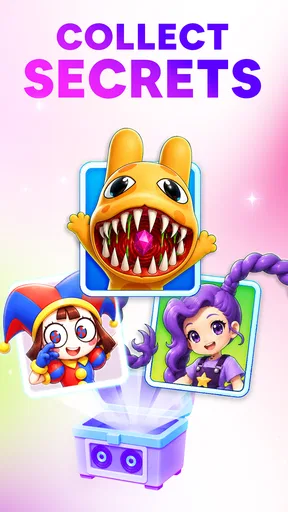
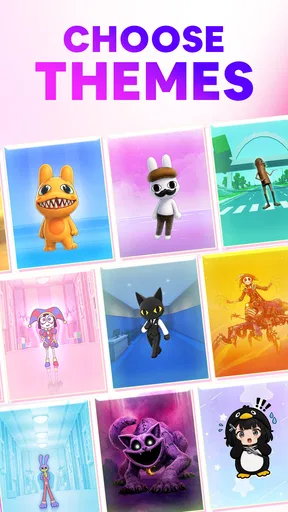
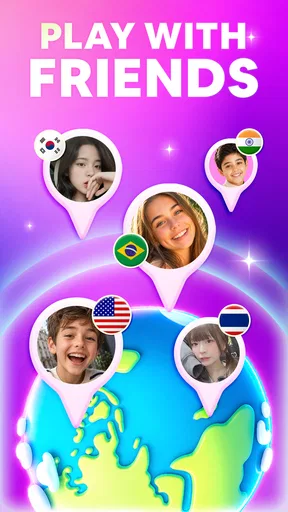

 Analysis by AppCompare
I tend to judge a phone rhythm game by a simple test: can I understand a round quickly, enjoy the music without needing a long setup, and still feel challenged after the first few plays? Pop Piano 2: Tiles Music Games is built around that pick-up-and-play appeal. It is a free music game from Rhythm Hero: Good Music Games, and its piano-tile approach makes the basic idea familiar even if you have never played this particular title.
That familiarity is useful, but it also sets expectations. This is a game for tapping along to songs, not a piano lesson or a tool for learning music theory. I’d consider it when I want a brief burst of timing-based play, especially if pop and K-pop are the sounds I’m in the mood for. I would not choose it as a substitute for an instrument-learning app, a music player, or a more involved rhythm game built around detailed practice.
What I’d weigh before downloading
The quick question is whether tile tapping sounds satisfying to you. If you like following visual cues and keeping time under a little pressure, the format is easy to pick up. If you prefer to select every note yourself, explore a large set of controls, or play with a physical instrument, this kind of game may feel too narrow. Its appeal is the direct link between what you see and the beat you follow.
It is also worth thinking about how you usually play on a phone. A short session can fit into a break or a commute when you can safely look at the screen, but the visual timing makes it a poor choice when you need to keep your eyes elsewhere. I find that distinction more important than whether someone calls themselves a casual or dedicated player: the game asks for attention while a round is underway.
Unpacking the Gameplay
The premise is straightforward: tap the tiles as they slide towards you in sync with the music. Sounds simple, right? Well, don’t be fooled. The pace picks up quickly, and before you know it, you’re frantically tapping away, trying to keep up with the catchy tunes.
That immediate start is where this style has an advantage over music games that ask players to learn a more elaborate control scheme first. A tile gives you a clear target, so the challenge becomes noticing it in time and matching your tap to the rhythm. For someone new to rhythm games, that makes the first attempt less intimidating; for a returning player, the rising pace is the part that asks for sharper focus.
One practical tip is to treat the opening rounds as a chance to settle into the visual rhythm instead of chasing a perfect score straight away. I’d keep my phone steady, use a comfortable grip, and make taps deliberate rather than swiping around the display. That helps separate a missed beat from a careless touch, and it makes the game easier to assess before deciding whether its pace suits me.
Worth Reading Before You Choose

EA SPORTS FC Mobile 26 Is a Bigger Football Game, but It Takes Time

Flipboard Shows What News Apps Must Do Beyond the Feed

Switching to Android Auto Means Rethinking Your Driving Routine

Google Calendar Makes a Crowded Week Easier to Manage

Ludo King Makes the Most of the Minutes Between Plans

Baby Panda World Brings Quick Play to Modern Phones, but Its Game Library Feels Busy
The store summary points to trending songs, piano tiles, and K-pop, which gives a clearer sense of its musical direction than the broad label “music game” alone. If you mainly want familiar, contemporary tracks and a quick tap-based challenge, that focus is a natural fit. If your listening habits lean toward niche genres or you want a broad catalogue organized for music discovery, a streaming service or a more specialized rhythm title is likely to serve you better.
One of the things I love about Pop Piano 2 is the variety of music genres available. Whether you’re into pop, classical, or something a bit more niche, there’s something here for everyone. The game regularly updates its song library, keeping things fresh and exciting.
Visuals and User Interface
Visually, the game is a treat. It sports a clean and vibrant interface that’s both easy on the eyes and simple to navigate. The neon colors pop against the dark background, which not only makes it aesthetically pleasing but also helps you focus on the tiles as they cascade down your screen. It’s these little details that make the game not just playable, but enjoyable.
For everyday use, that high contrast can make the moving targets easier to distinguish at a glance, though the same bright presentation may not be everyone’s preference during a late-night session. I would lower my screen brightness to a comfortable level before playing in a dim room, both for comfort and to avoid the display feeling harsher than the music. It is a small adjustment, but it matters more in a game that keeps your attention on a glowing screen.
Challenge and Progression
What keeps me coming back is the challenge. The game starts off easy, but as you progress, it introduces more complex patterns that really test your reflexes and timing. Each successful run earns you points and stars, which you can use to unlock new songs and modes. It’s a classic hook: the better you perform, the more content you unlock.
That kind of progression can make a familiar song feel different when I return to improve a run, but it also creates a trade-off: a player who only wants unrestricted access to a particular track may not enjoy earning their way through content. I’d treat stars and scores as a reason to replay when I’m in the mood, not as a demand to grind. If advancement starts to feel like work, it is perfectly reasonable to play for the music and leave the leaderboard chasing to someone else.
There’s also a competitive edge with leaderboards where you can see how you stack up against other players globally. It adds an extra layer of motivation to improve your skills and climb the ranks.
Leaderboards are best understood as an optional reason to refine timing, rather than the main point of the game. I would use them as a personal benchmark—try a track, notice where a run falls short, then replay when I have a few focused minutes. That approach keeps competition motivating without turning a casual music break into a persistent score-chasing routine.
Sound Quality and Experience
Of course, in a music game, sound quality is paramount. Thankfully, Pop Piano 2: Tiles Music Games delivers crisp and clear audio that enhances the overall experience. Whether you’re wearing headphones or just listening through your phone’s speakers, the sound is immersive and engaging.
For a more reliable sense of timing, I’d play at a volume that lets the beat come through clearly without making it uncomfortable, and avoid changing audio settings in the middle of a run. Headphones can make the music feel more focused, while the phone speaker is convenient when I’m playing briefly at home. Neither choice changes the basic task: the screen still needs my attention, so audio alone is not enough to play safely while walking or doing something that requires concentration.
I’ve found myself getting lost in the music, which honestly is part of the charm. It’s relaxing yet challenging, a perfect mix for unwinding after a long day.
A realistic use case is a short pause after work: I can open the game, play a track or two, and get a quick change of pace without committing to a lengthy session. It may also suit someone who wants a light challenge while waiting at home. I would skip it for a quiet setting where repeated taps or music could bother other people, and I would not assume a game built around tapping is ideal for every shared space.
How it compares with other music games
Compared with music games that center on instrument-like controls or more elaborate note patterns, this tile format is easier to understand at first glance. That is its strongest practical advantage: there is little to explain before a new player can try a round. The trade-off is that players seeking detailed control, a training path, or a deep simulation of playing piano should look at alternatives designed for those goals instead.
It also occupies a different role from a music streaming app. A streaming service is better when I want to choose a playlist and listen without interacting; this game makes listening active by asking me to respond to what appears on screen. And compared with a broad arcade game, the music is central to the moment-to-moment action rather than simply background. Choosing between these options comes down to whether I want to listen, learn, or play along.
The game is free to download, so trying it does not require an upfront purchase. Still, “free” is not the same as friction-free: the published review describes ads and optional purchases, and those interruptions or offers may matter more to some players than others. I would first see whether the core tapping loop holds my interest before considering any optional spending. If ads regularly break the flow for you, a paid game with a different model may be a better fit, even if it lacks this title’s particular song-and-tile combination.
Practical fit, age, and version
The game is rated Everyone, which makes it broadly suitable by its content rating, though I’d still use ordinary judgment about screen time and sound in a family setting. It has passed one million installs and holds an average rating of 4.8 from around twenty-six thousand ratings, signs that many players have given it a try and responded positively. Those figures are useful context, but they cannot tell me whether its song selection or tapping style matches my own taste.
It was released on July 16, 2025, and the current version is 1.7.0. The minimum operating-system requirement is Android 7.0, so I’d check that my device meets it before looking for a download. The version number also gives a practical reason to keep the game current: when a game changes over time, installing its latest available release is the sensible starting point before judging how it runs on a device.
One question I’d ask before relying on it for travel is whether I will have a comfortable place to look at the screen and tap. Since the game depends on visible tiles, it is not an ideal hands-free activity, and I would not plan to play while navigating a busy station or crossing a street. For a seated wait, it can be a more engaging distraction than simply scrolling; for a situation where attention needs to stay elsewhere, I would choose audio-only entertainment.
Who should choose it—and who should move on
I’d recommend giving it a try if you enjoy pop-oriented music games, want a straightforward rhythm challenge, and are happy to improve through repeated attempts. It is particularly approachable for someone curious about tile games who does not want to learn complicated controls first. A player who enjoys comparing runs may also find the scores, unlocks, and leaderboard element give each replay a clear purpose.
I would point a dedicated piano learner toward a lesson-focused app, and a player who wants complete control over a music library toward a service built for listening. Someone who dislikes bright visual effects, rapid tapping, ads, or progression tied to repeated play may also be happier elsewhere. Those are not reasons the game fails at its own job; they are reasons to be honest about what kind of music experience you want.
Switching away later should be a simple decision if the core loop does not click: the game’s appeal rests on whether the tile timing and song choices keep you engaged. I would not invest effort in chasing every unlock just because I had started. Try a few sessions, notice whether the challenge feels fun rather than frustrating, and let that answer guide you. If a different rhythm game offers the controls or musical focus you prefer, choosing it is more sensible than forcing yourself to adapt.
In-App Purchases and Ads
Now, let’s talk about the elephant in the room: in-app purchases and ads. Like many free apps, Pop Piano 2 includes ads and optional purchases. While the ads can be a bit intrusive, they’re not a deal-breaker. Plus, if you’re really into it, there’s the option to remove ads altogether with a one-time purchase.
As for the in-app purchases, they’re mostly for unlocking additional songs or premium features. It’s entirely possible to enjoy the game without spending a dime, but if you want to take your experience to the next level, it’s nice to have the option.
So, would I recommend giving Pop Piano 2: Tiles Music Games a try? Absolutely! It’s a fun, addictive game with a great selection of tunes and a visually appealing design. Whether you’re a casual player or a hardcore rhythm game enthusiast, there’s plenty to enjoy. Just be prepared to lose track of time as you tap your way through song after song. Happy playing!
Pros
- Intuitive interface simplifies navigation.
- Wide variety of popular songs available.
- Engaging gameplay keeps users entertained.
- Regular updates with new songs.
- Offline mode for playing without internet.
Cons
- Contains frequent ads between levels.
- Some songs require in-app purchases.
- Occasional lag on older devices.
- Limited customization options.
- High battery consumption during play.
FAQs for Piano Pop 2: Tiles Music Games
What is Pop Piano 2: Tiles Music Games and how does it work?
Pop Piano 2: Tiles Music Games is a rhythm-based game that allows players to enjoy music by tapping on tiles as they appear on the screen. The game features a wide variety of popular songs across different genres, providing an engaging experience for music lovers. As you progress, the speed and complexity increase, challenging your timing and reflexes.
Is Pop Piano 2: Tiles Music Games free to play?
Yes, Pop Piano 2: Tiles Music Games is free to download and play. However, it does offer in-app purchases for additional features, songs, or to remove ads. These purchases can enhance your gaming experience but are not necessary to enjoy the core gameplay. Always check for the latest pricing details in your app store.
What kind of songs are available in Pop Piano 2: Tiles Music Games?
The game includes a diverse selection of songs, ranging from classical pieces to contemporary pop hits. It frequently updates its library to include new tracks, ensuring that players have access to the latest music trends. This variety caters to different musical tastes, making the game appealing to a broad audience.
Can I play Pop Piano 2: Tiles Music Games offline?
Pop Piano 2: Tiles Music Games can be played offline, allowing you to enjoy the game without an internet connection. However, certain features like downloading new songs or accessing leaderboards may require internet access. Playing offline is convenient for those who wish to enjoy the game on the go.
What devices are compatible with Pop Piano 2: Tiles Music Games?
Pop Piano 2: Tiles Music Games is available on both Android and iOS devices. It is compatible with most smartphones and tablets that meet the minimum system requirements specified in the app store listings. Ensure your device is updated to the latest operating system version for optimal performance.


